Communication Challenge
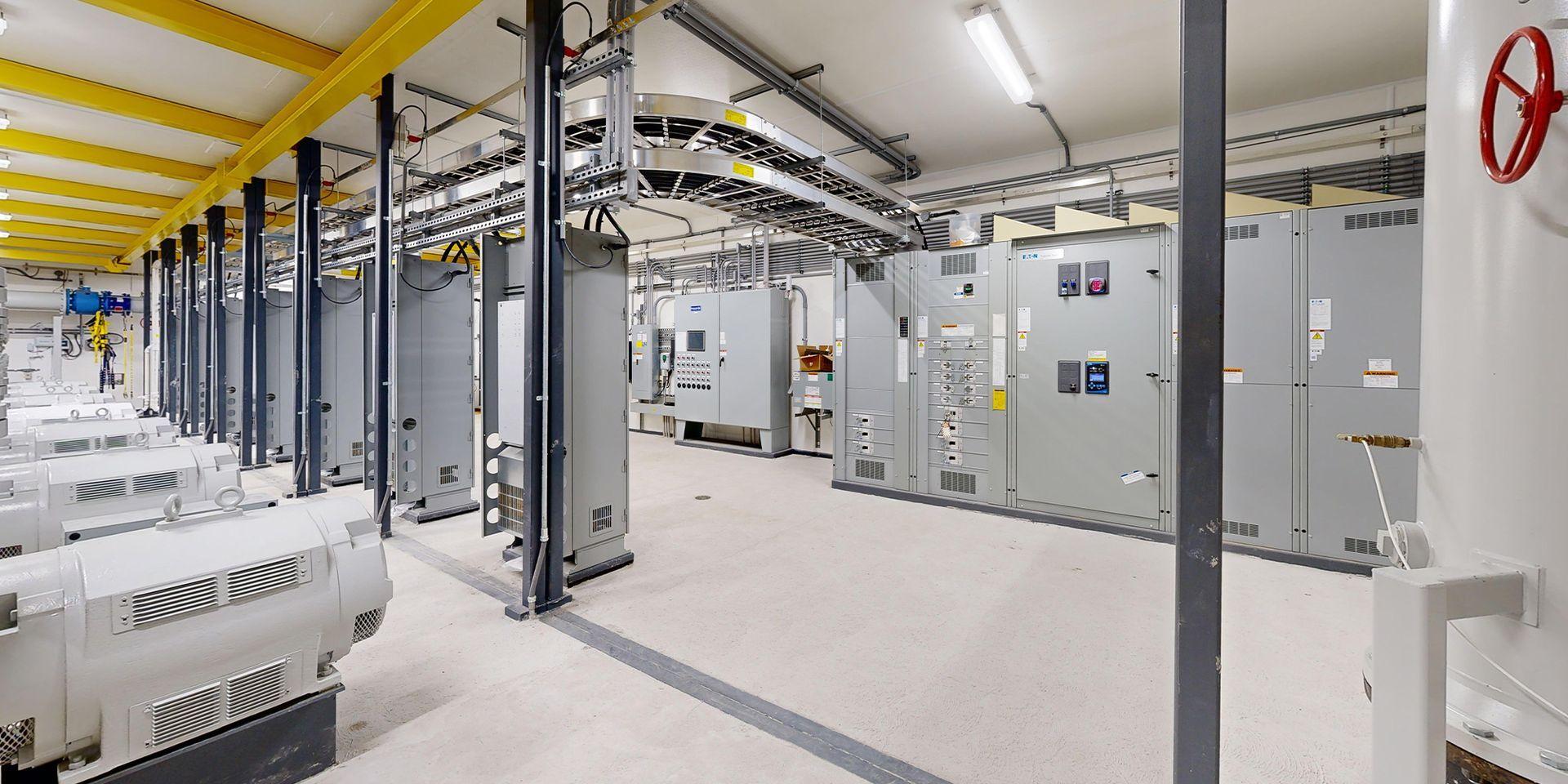
In large industrial facilities, CAN-based sensors, controllers, and field devices may be installed far away from the central control room.
Conventional CAN cabling has limited transmission distance and can be affected by electromagnetic interference and ground potential differences, especially when connecting equipment across separate buildings or industrial areas.
A reliable communication link is therefore needed to extend CAN networks over long distances while maintaining signal integrity and electrical isolation.
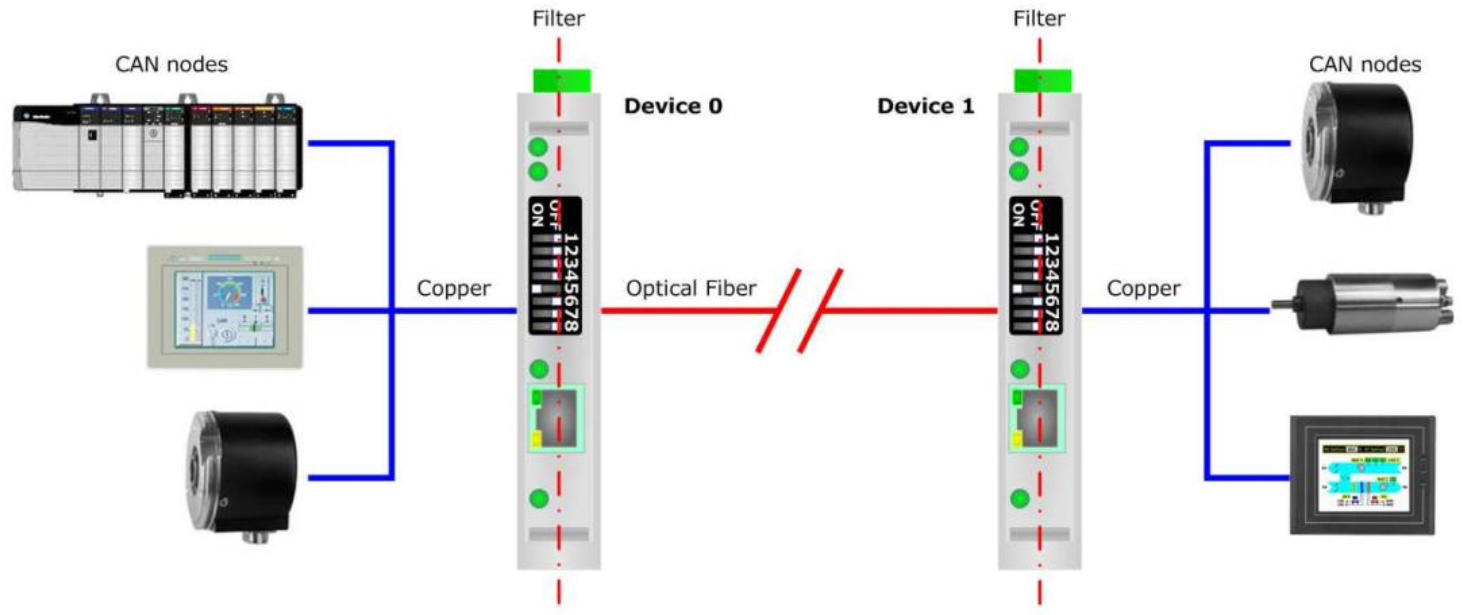
Two GCAN-208-1 modules transparently convert CAN signals to optical signals and back for long-distance communication.
Solution
Two GCAN-208-1 modules are used as a pair to establish a fiber-optic link between the remote CAN network and the control room.
The modules transparently convert CAN electrical signals into optical signals and restore them to CAN signals at the receiving end, extending communication distance without changing the original CAN frames.
Products Used
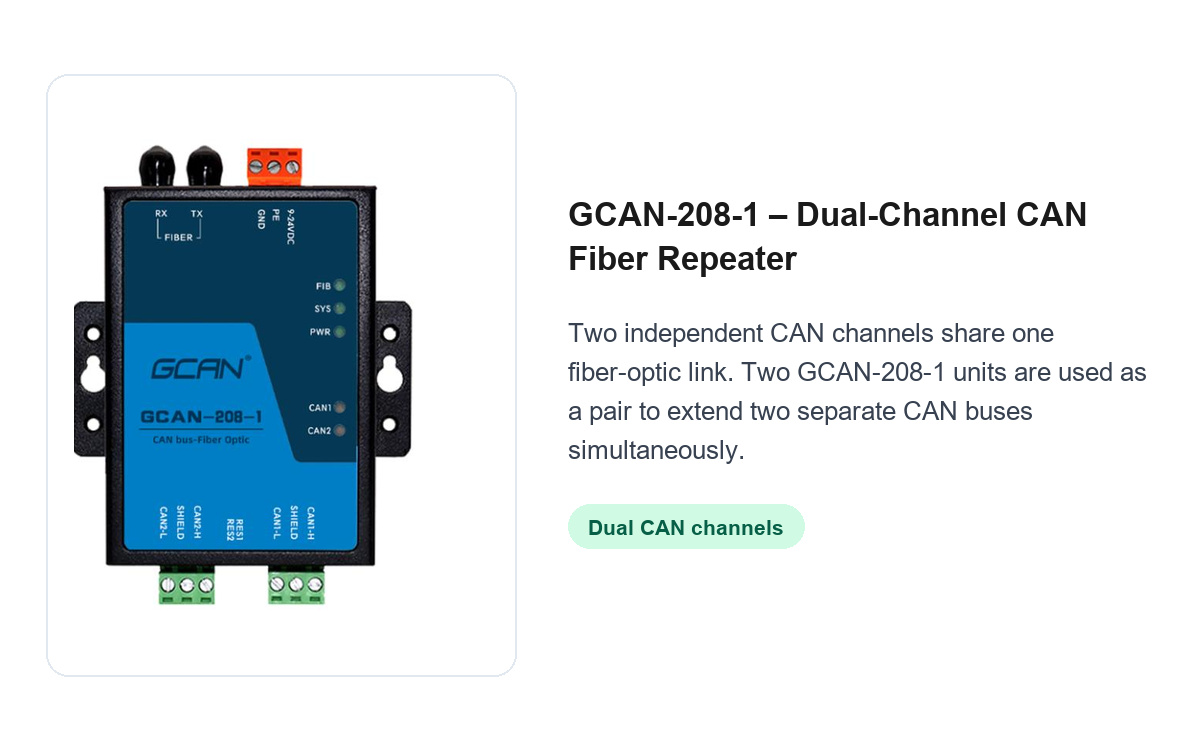
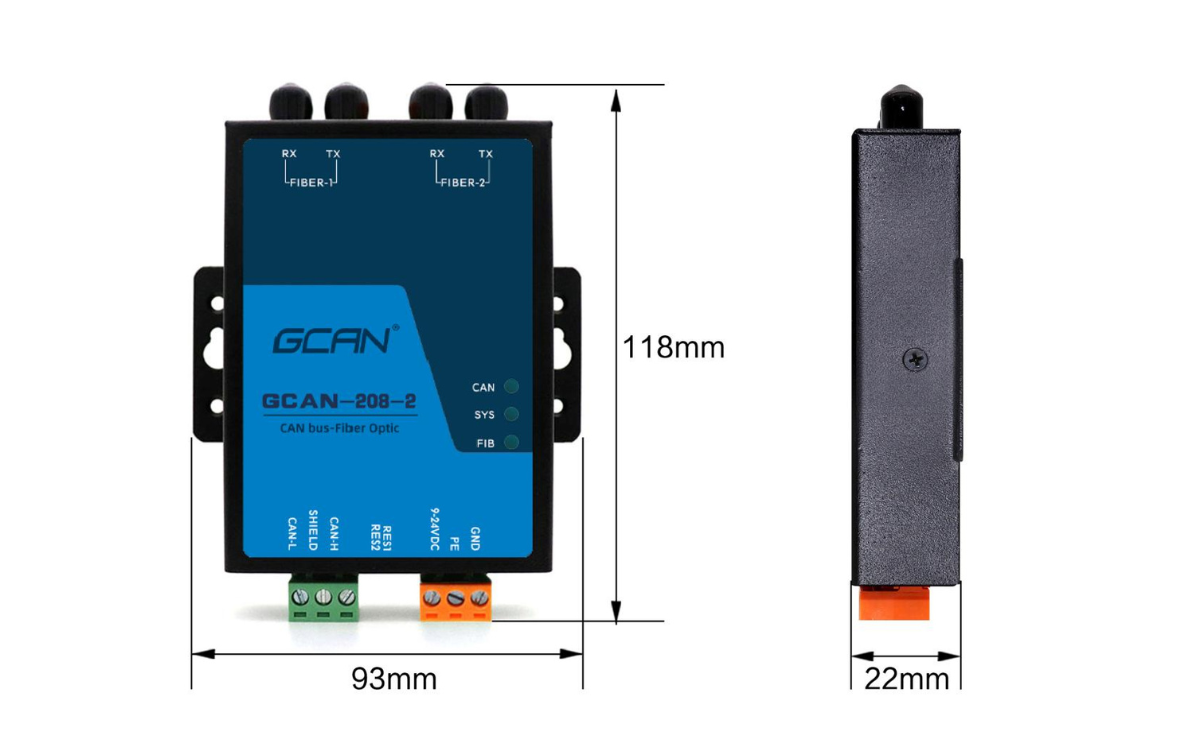
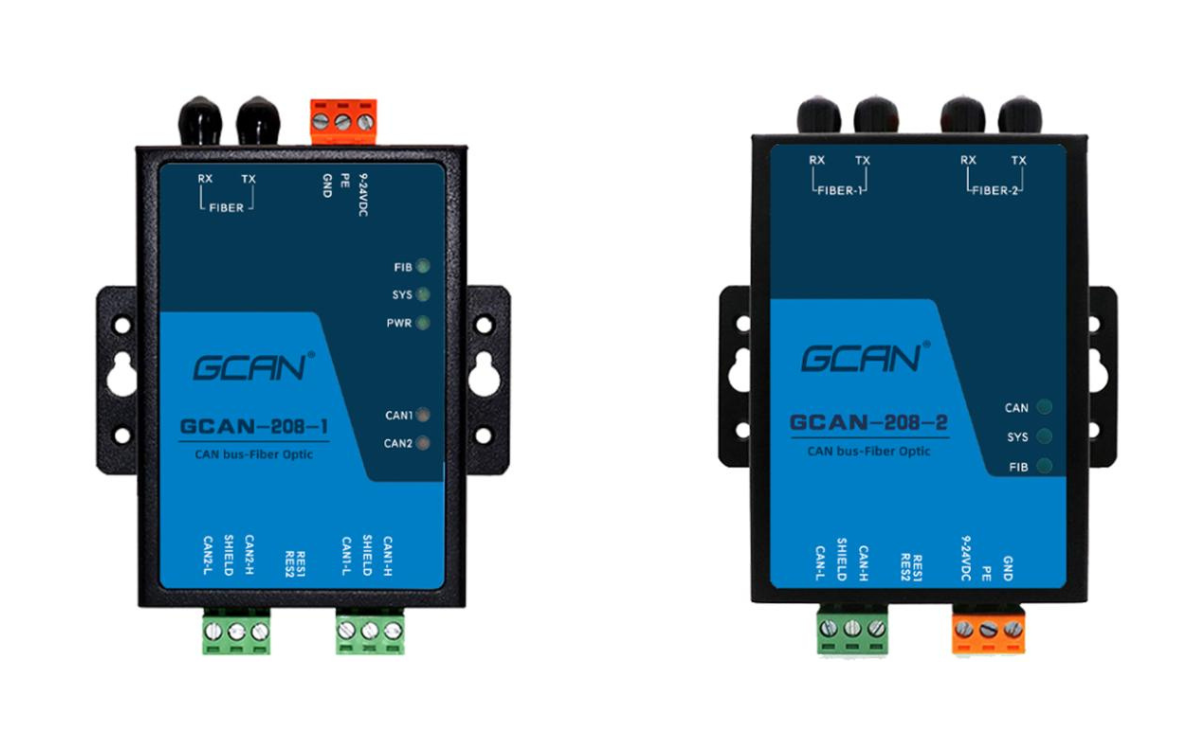
Transparent CAN-to-fiber conversion for long-distance, isolated CAN networking.
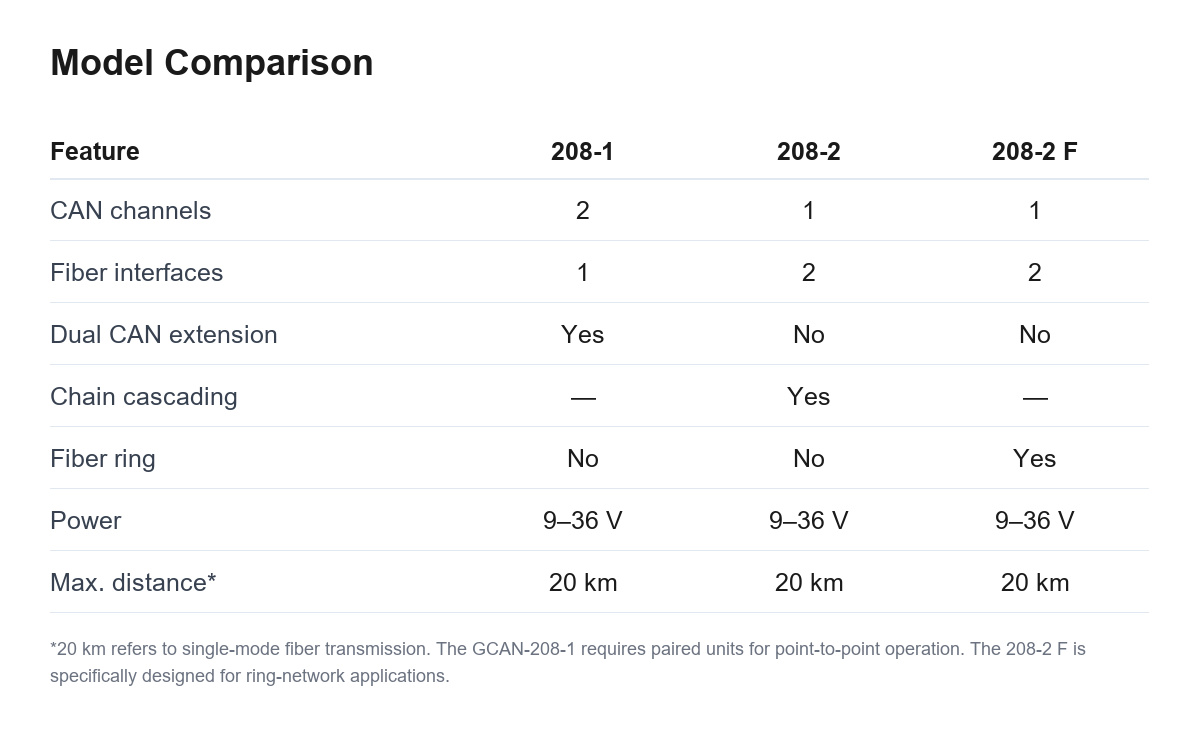
GCAN-208-1: CAN Bus Fiber Optic Repeater
- 2 × GCAN-208-1 CAN Bus Fiber Optic Repeaters
- CAN-based control system
- CAN-based sensors or field devices
- Single-mode fiber-optic cable
Interfaces & Protocols
- Control Room ↔ GCAN-208-1: CAN Bus · CAN 2.0A/B
- GCAN-208-1 ↔ GCAN-208-1: Fiber Optic Link · Single-Mode Fiber
- GCAN-208-1 ↔ Field Devices: CAN Bus · CAN 2.0A/B
How Data Flows
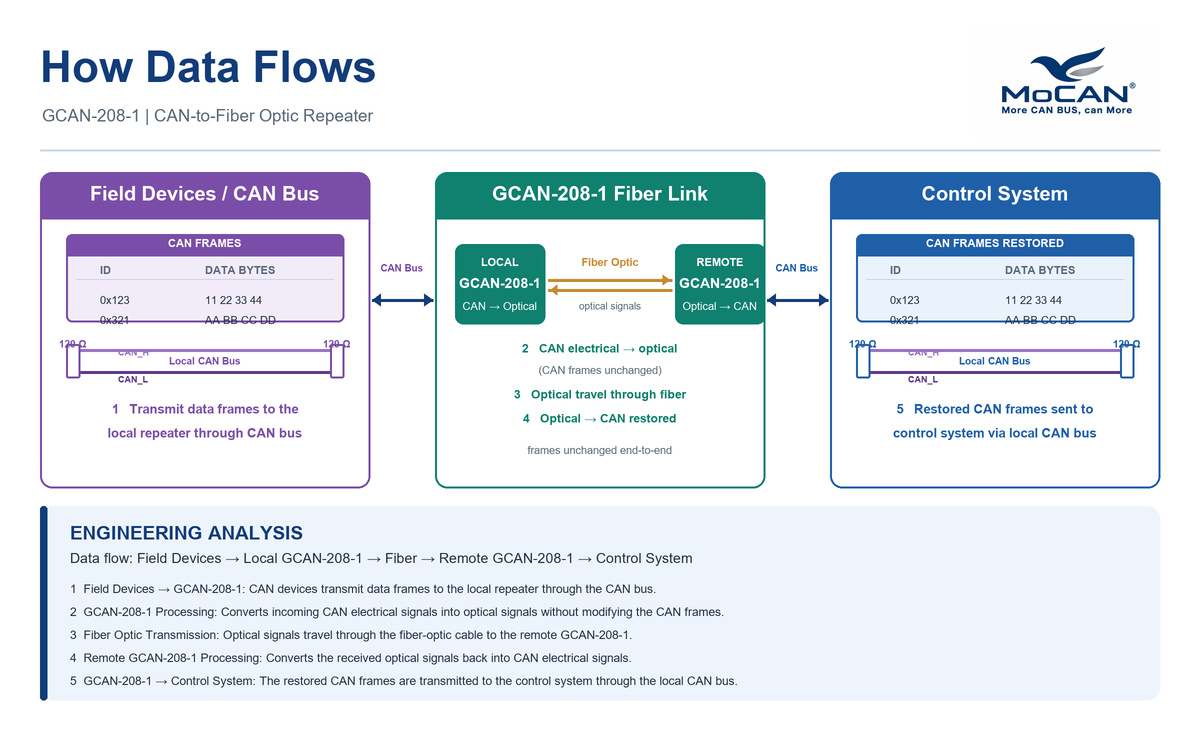
- Field Devices → GCAN-208-1: CAN devices transmit data frames to the local repeater through the CAN bus.
- GCAN-208-1 Processing: Converts incoming CAN electrical signals into optical signals without modifying the CAN frames.
- Fiber Optic Transmission: Optical signals travel through the fiber-optic cable to the remote GCAN-208-1.
- Remote GCAN-208-1 Processing: Converts the received optical signals back into CAN electrical signals.
- GCAN-208-1 → Control System: The restored CAN frames are transmitted to the control system through the local CAN bus.
Result
The GCAN-208-1 pair extends CAN communication between remote field devices and the central control room over distances of up to 20 km using single-mode fiber.
Fiber-optic transmission also provides electrical isolation between the two locations and helps protect communication against electromagnetic interference and ground potential differences.
Related Topic: #CAN Bus & CAN FD
6 Related Articles
GCAN-212B Application: Ethernet-Based CAN Bus Diagnosis and Testing
Use the GCAN-212B to connect a PC-based diagnostic application to a CAN network over Ethernet. Monitor CAN traffic, transmit test messages, and analyze communication responses.
GCAN-212B Application: Ethernet-Based CAN Data Acquisition
Connect CAN field devices to an Ethernet-based PC using the GCAN-212B. Collect, monitor, and record CAN data through TCP or UDP Socket communication.
GCAN-211 Application: Wireless CAN Bus Monitoring & Data Acquisition
Wireless CAN Bus Monitoring · WiFi Connectivity · 2-Channel CAN · TCP/UDP Communication · Remote CAN Data Acquisition
GCAN-205 Application: Modbus TCP to CAN Command Transmission
PLC-to-CAN Command Transmission · GCAN-205 Modbus TCP-to-CAN Gateway · Modbus TCP Slave · CAN 2.0A/B · Triggered and Cyclic Transmission
GCAN-205 Application: CAN Data Acquisition via Modbus TCP
CAN Data Acquisition via Modbus TCP · GCAN-205 Modbus TCP-to-CAN Gateway · PLC Integration · CAN 2.0A/B · Configurable Register Mapping
USBCAN-II C Application: Dual-Channel CAN Network Monitoring
2-Channel CAN Monitoring · Independent Bus Diagnostics · CAN 2.0A/B · Real-Time Frame Capture · USBCAN-II C
Choose the Right Industrial CAN Gateway
| Model | Processing Level | CAN-Side Role | Can it act as a Master? | Sub-models / Programmability | Interfaces | Application | |
| GCAN-204 | Register mapping (Not transparent) | Fixed Modbus RTU Slave | No. Modbus RTU Slave only. | Single fixed firmware. Free config software, zero programming. | 1× RS485, 1× CAN 2.0A/B |
PLC/HMI (Modbus master) reading CAN sensors; legacy retrofits. | |
| GCAN-205 | Register mapping (Not transparent). | Fixed Modbus TCP Slave | No. Modbus TCP Slave only. | Single fixed firmware. Free config software. | 1× Ethernet, 1× CAN 2.0A/B |
SCADA/HMI reading CAN devices over Ethernet. | |
| GCAN-208 | Pure physical-layer passthrough. | No protocol role | No. No protocol stack. | Sub-models: 208-1, 208-2, 208-2F. | 1–2× Fiber, 1–2× CAN 2.0A/B |
Long-distance CAN extension, high EMI isolation. | |
|
Socket-level transparent transmission. | No protocol role | No. Data pipe only. | Single unit. Can work in pairs as a wireless CAN repeater. | 2× CAN, 1× Ethernet, 1× WiFi |
Wireless CAN access, mobile debugging. | |
| GCAN-212B | Socket-level transparent transmission. | No protocol role | No. Data pipe only. | Single unit (DIN-rail). | 2× CAN, 1× Ethernet |
Dual-channel CAN to Ethernet inside cabinets. | |
| GCAN-GT-8221 | Splits by sub-model: | EtherCAT Slave → CAN: |
|
Sub-models: -CAN, -COM. Fixed firmware. | 2× EtherCAT (daisy-chain), 1× CAN |
EtherCAT PLC integrating existing CANopen slave devices. | |
| • -CAN: Raw passthrough. | • -CAN: Passthrough | ||||||
| • -COM: CANopen slave stack (Semantic parsing). | • -COM: CANopen Slave | ||||||
| GCAN-GT-8321 | Splits by sub-model (Most comprehensive): | Profinet Slave → CAN: | Profinet side: No. | Sub-models: -CAN, -COM, -COS, -MRTUM, -MRTUS, -MTCPS, -PROG. | 2× Profinet, 1× CAN, 1× RS485, 1× Ethernet (varies) |
Siemens PLC integrating CANopen drives; active CANopen network management. | |
| • -CAN: Raw passthrough. | • -CAN: Passthrough | CAN side: NO | |||||
| • -COM: CANopen Slave. | • -COM: CANopen Slave | CAN side: NO | |||||
| • -COS: CANopen Master (NMT, node monitoring). | • -COS: CANopen Master | CAN side: -COS YES | |||||
| • -PROG: Programmable. | User-defined (Master/Slave configurable) | Yes (Configurable via program) | |||||
| GCAN-GT-415 | Full programmable semantic processing. | Configurable via program | Yes, fully configurable. CANopen & Modbus Master/Slave. | No fixed sub-models. Programmable via OpenPCS (IEC 61131-3). | 2× CAN, Ethernet, RS485, RS232, 4G, WiFi | Multi-protocol mixing, non-standard logic, remote upload (acts as a mini-PLC). |