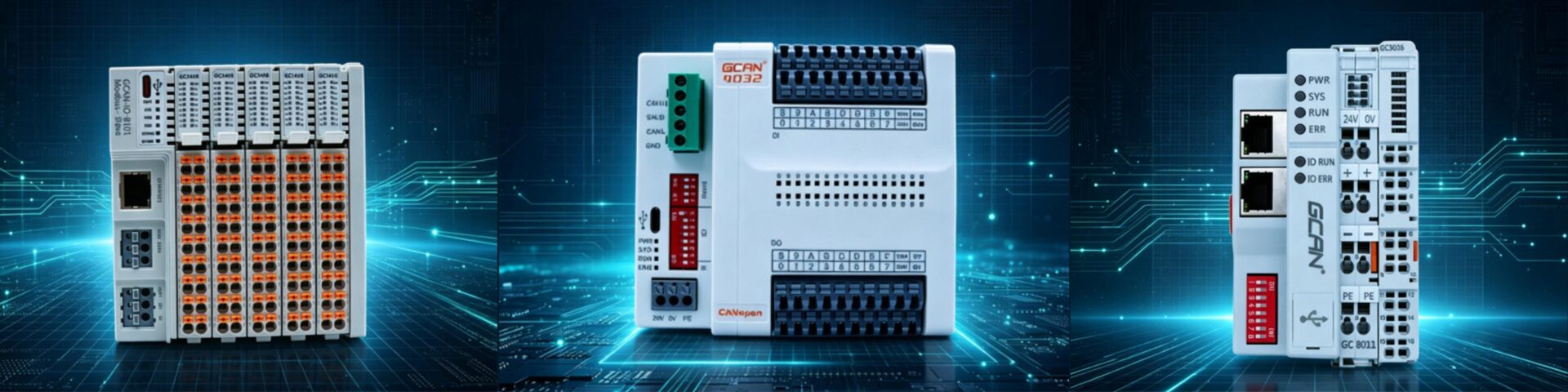
🔵 Overview
The GCAN-IO-8300:
- The GCAN-IO-8300 is an industrial-grade Profinet Remote I/O Coupler designed to highly expand I/O capabilities and simplify wiring over high-speed Profinet networks.
- Compliant with the standard Profinet protocol, it acts as a reliable slave node, supporting seamless integration with Siemens S7-200SMART, S7-1200, S7-1500, S7-300, and S7-400 PLCs.
- Equipped with dual RJ45 ports, auto-configuration, and 1500 Vrms isolation, it supports up to 32 GC series terminal modules (Digital, Analog, RTD/TC), ensuring robust data transmission (up to 340 bytes I/O) in harsh industrial environments (-40°C to +85°C).
I/O Expansion Module:
- The I/O expansion modules listed on this page are for the GCAN-IO-8300 / 8X00 series 8/16-pin system only. They cannot operate independently and must not be mixed with GCAN-8101 / 18-pin modules.
- A complete node consists of a GCAN-IO-8300 coupler, compatible 8/16-pin I/O expansion modules, and one GC-0001 bus end terminal at the far right end.
- The adapter-to-I/O interface is the GCAN GC-Bus, not a universal standard backplane. Third-party adapter or I/O module compatibility must be confirmed by the factory.
GC-0001 Terminal:
- One GC-0001 bus end terminal is required per GCAN-IO-8300 node and must be installed at the far right end. It is required per node, not per I/O module. Without GC-0001, I/O devices may not work.
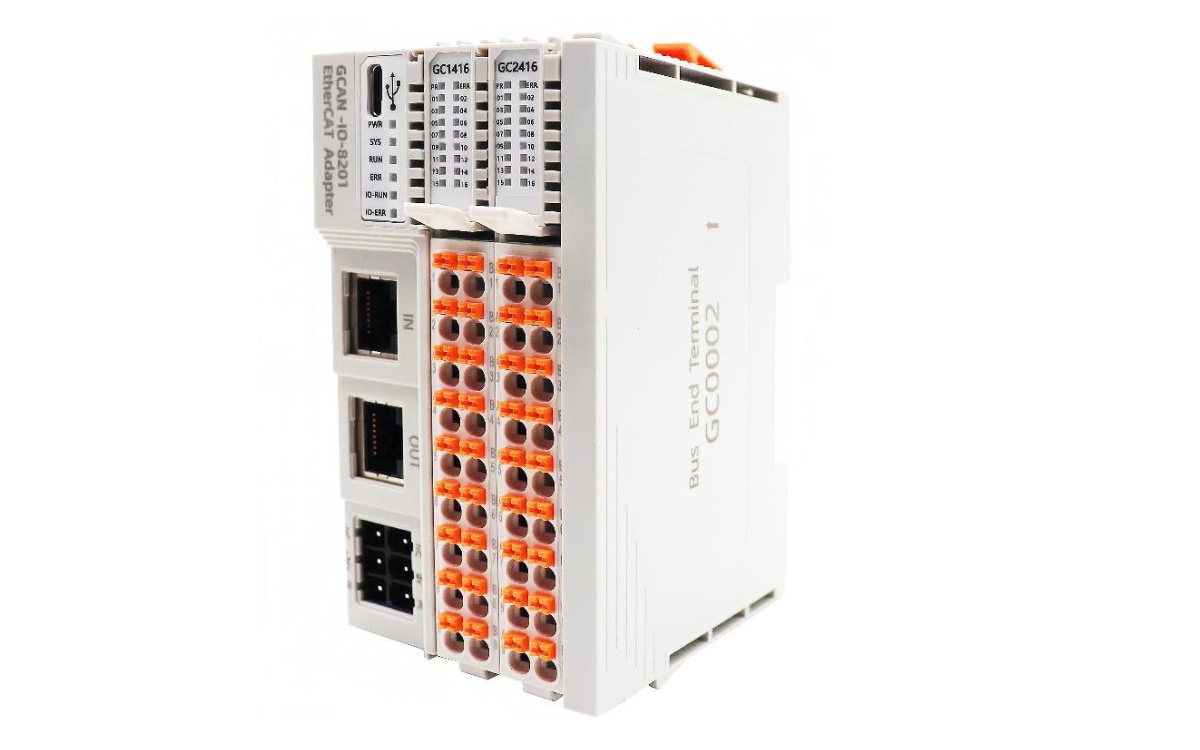
- GC-0001 is not interchangeable with GC-0002; GC-0002 is for the GCAN-8101 / 18-pin series only.
- The GCAN-8X00 series also does not support GC-6101 / GC-6221 / GC-6501 communication expansion modules.
🔵 Critical Selection Guide: Expansion & Compatibility
- Before selecting your I/O modules, please note the hardware configuration features for your specific application:
- Expansion Capacity: 1 Coupler + Up to 32 GC series I/O modules + 1 Terminal Module (GC-0001). Auto-configuration eliminates the need for complex PC parameter settings.
- Network Topology: Dual RJ45 ports support daisy-chain wiring, saving cabling costs and allowing easy integration into existing Profinet networks.
- Wiring & Power: Screwdriver-push terminals for easy wiring. 24V DC power input with max 740mA current supply for subsequent I/O modules.
- PLC Compatibility: Specifically optimized as a Profinet slave for Siemens automation systems.
🔵 Core Application Scenarios & Solutions
💡 Scenario 1: Distributed I/O Expansion for Siemens PLC Systems
🧐 The Challenge: Modern Siemens PLCs have limited built-in I/O points. When machines or sensors are distributed across a large factory floor, running individual cables back to the central PLC is expensive, complex, and prone to signal interference.
🔧 The Solution: The GCAN-IO-8300 is installed locally near the sensors/actuators. It gathers data from up to 32 expansion modules and seamlessly transmits it to the Siemens Profinet Master via standard CAT5 cables at 100Mbps, dramatically reducing long-distance wiring.
💡 Scenario 2: Mixed-Signal Control & High-Density Wiring
🧐 The Challenge: Machines often require a mix of digital (DI/DO), analog (AI/AO), and temperature (RTD/TC) signals. Managing dozens of different signal types with individual transmitters and cables is a nightmare for cabinet space and cost.
🔧 The Solution: The GCAN-IO-8300 handles any combination of GC series modules. Whether you need 8 channels of DI or 4 channels of high-precision PT100, they snap together on the DIN rail. The process image handles all signals uniformly in a byte array format, massively simplifying your panel design.
💡 Scenario 3: Harsh & Remote Industrial Environments
🧐 The Challenge: Applications in automotive, energy storage, and logistics often face extreme temperatures, electrical noise, and vibrations.
🔧 The Solution: Built for durability, the GCAN-IO-8300 features 1500Vrms electrical isolation to protect against surges, an ultra-wide operating temperature of -40°C to +85°C, and a DIN-rail self-locking mechanism (with orange release tag) to prevent disconnections from vibration.
GCAN-IO-8300 supports up to 32 GC series I/O modules via GC-Bus
Profinet Remote I/O Coupler
Up to 32 GC Series I/O Modules (Digital, Analog, Temperature)
Standard Profinet Slave (GSDML file available) for seamless Siemens PLC integration
Auto-Configuration and hardware DIP switches for plug-and-play setup
Push-in power terminals for fast, screwdriver-assisted wiring
1500Vrms electrical isolation for harsh industrial environments
Operating Temp. from -40°C to +85°C
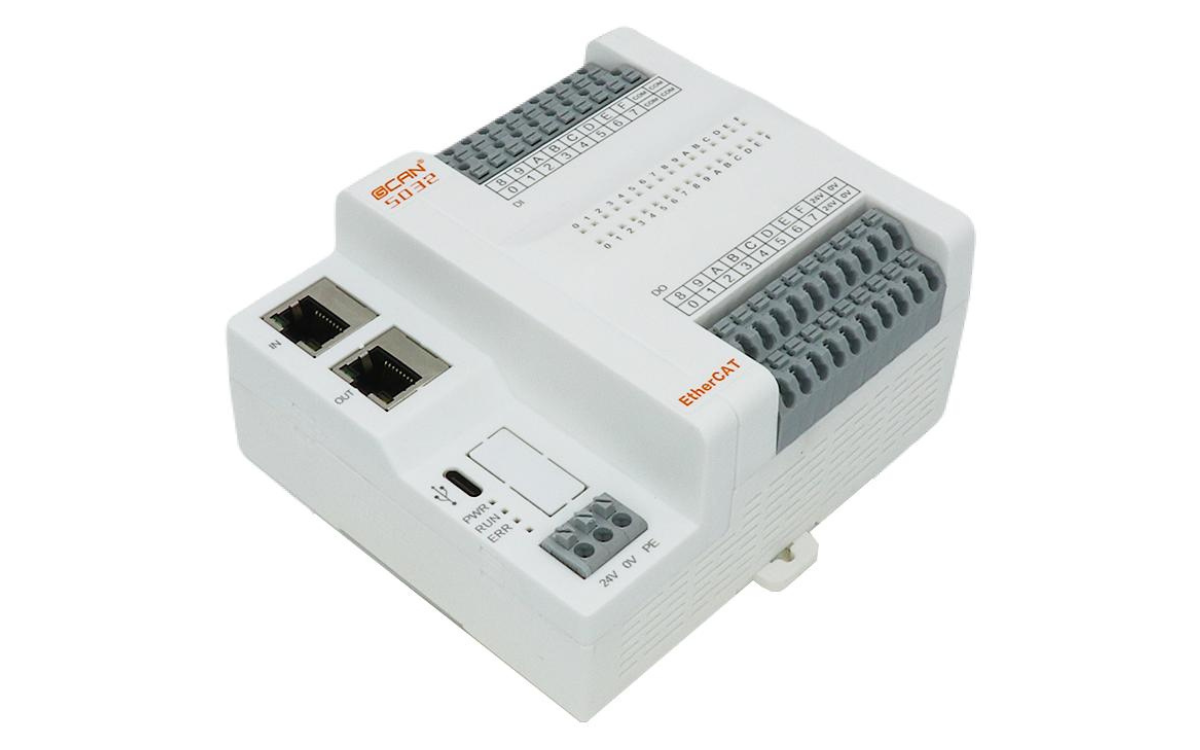
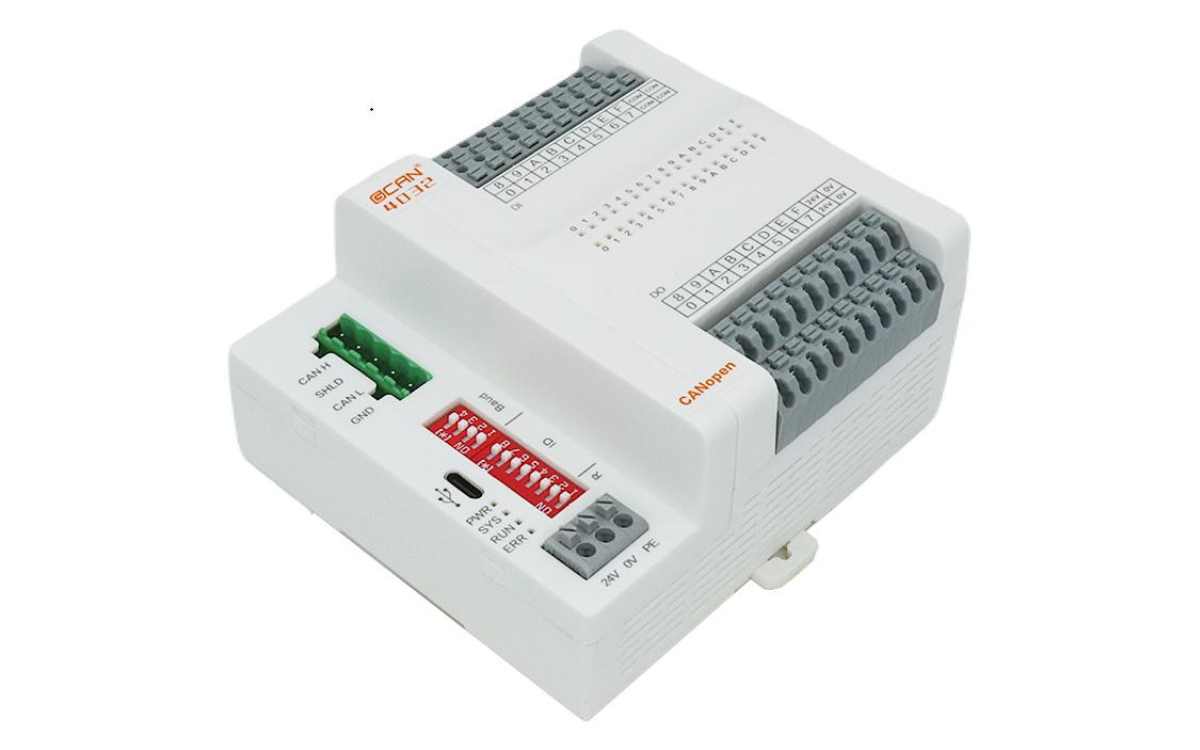
Dual RJ45 Profinet ports, DIN-rail mounting, and USB port for firmware upgrades
Find Your Profinet Remote I/O Solution by Application
◆ Application 1: My Siemens PLC has run out of built-in I/O points, and I need a flexible expansion.
👉 Product model: GCAN-IO-8300
💡 How it works:
➤ Role: Acts as a modular Profinet Remote I/O Coupler (Slave) for Siemens automation systems.
➤ Connection: Connects seamlessly to Siemens S7-200SMART, S7-1200, S7-1500, S7-300 via standard RJ45. You can stack up to 32 GC series modules (DI, DO, AI, AO) on the right side of the coupler.
➤ Process Image Update: The PLC imports the GSDML file. With auto-configuration, the coupler automatically detects the connected modules and maps up to 340 bytes of I/O data directly into the PLC's process image without complex PC parameter settings.
◆ Application 2: The sensors are far away from the main control cabinet, and direct wiring is too expensive.
👉 Product model: GCAN-IO-8300
💡 How it works:
➤ Role: Acts as a decentralized field-level I/O node.
➤ Connection: Installed locally near the sensors/actuators outside the control cabinet. Features Dual RJ45 ports for daisy-chain topology, significantly saving long-distance cabling costs and reducing signal interference.
➤ Signal Transmission: Field signals are collected locally and transmitted to the central Profinet Master at 100Mbps via standard Ethernet CAT5 cables. The robust 1500Vrms isolation ensures stable data transmission in noisy factory environments.
◆ Application 3: Logistics sorting systems and smart warehouse conveyor lines.
👉 Product model: GCAN-IO-8300
💡 How it works:
➤ Role: Acts as the "nerve center" for distributed conveyor control.
➤ Connection: Connect photoelectric sensors, push buttons, and solenoid valves locally along the conveyor line. The 32-module expansion capacity handles high-density I/O requirements for large sorting hubs.
➤ Data Acquisition: Data from different zones is acquired locally and sent via the dual RJ45 ports to the Siemens master PLC, enabling precise and fast parcel sorting and material tracking.
◆ Application 4: Automotive assembly lines and lithium battery production lines.
👉 Product model: GCAN-IO-8300
💡 How it works:
➤ Role: Provides high-density, mixed-signal control for demanding manufacturing cells.
➤ Connection: In automotive welding/assembly or battery coating lines, the coupler connects various sensors, relays, and actuators. The DIN-rail self-locking mechanism ensures reliability against heavy vibration.
➤ I/O Communication: Seamlessly integrates into the Profinet network. It handles both standard digital signals and high-precision analog signals (for pressure/flow control) with fast cycle times, ensuring synchronized operations across the production line.
◆ Application 5: Process control requiring analog signals and temperature monitoring (e.g., water treatment, food & beverage).
👉 Product model: GCAN-IO-8300
💡 How it works:
➤ Role: Acts as a dense analog and temperature acquisition hub.
➤ Connection: Instead of buying expensive PLC analog cards, stack multiple GC series AI/AO modules (0-20mA, 4-20mA) or PT100/TC temperature modules onto the GCAN-IO-8300.
➤ Signal Digitization : Local 16-bit precision digitization of temperature and pressure signals. The data is transmitted digitally via Profinet to the PLC, avoiding analog signal attenuation and saving significant cabinet space.
Technical Specifications
Compatible I/O Expansion Modules for GCAN-I/O-8300 PROFINET Remote I/O Coupler
| Model | Function | Channels | Key Parameters | Required Terminal |
| GC-1016 | Digital input, PNP | 16 | 24 VDC; ON 11–30 VDC; response 3 ms | GC-0001 |
| GC-1116 | Digital input, NPN | 16 | 0 VDC NPN; ON 11–30 VDC; response 3 ms | GC-0001 |
| GC-2016 | Digital output, PNP | 16 | 24 VDC PNP; 500 mA/ch max; 300 mA/ch simultaneous | GC-0001 |
| GC-2116 | Digital output, NPN | 16 | 0 VDC NPN; 500 mA/ch max; 280 mA/ch simultaneous | GC-0001 |
| GC-3624 | Analog input, voltage | 4 | -10 to +10 V; 16-bit; ±0.5% FS | GC-0001 |
| GC-3654 | Analog input, current | 4 | 4–20 mA; 16-bit; ±0.5% FS | GC-0001 |
| GC-4622 | Analog output, voltage | 2 | -10 to +10 V; 16-bit; ±1% FS; load ≥1 kΩ | GC-0001 |
| GC-4652 | Analog output, current | 2 | 4–20 mA; 16-bit; ±1% FS; load ≤400 Ω | GC-0001 |
| GC-3804 | Temperature input, PT100 | 4 | 2-wire PT100; -200 to +600°C; approx. ±2°C at 25°C | GC-0001 |
| GC-3844 | Temperature input, thermocouple | 4 | K type; -200 to +900°C; approx. ±2°C at 25°C | GC-0001 |
| GC-5016 | Digital input + output, PNP | 8 + 8 | 8 PNP DI + 8 PNP DO; 24 VDC; 3 ms input response | GC-0001 |
GCAN-IO-8300 Profinet Coupler and I/O Expansion Modules: Setup, Wiring, and Troubleshooting FAQs
Q Is the GCAN-IO-8300 compatible with Siemens S7-1200/1500 and S7-200SMART PLCs? ▼
- Yes. The GCAN-IO-8300 acts as a standard Profinet I/O device (Slave) and can be integrated with Siemens S7-200SMART, S7-1200, S7-1500, S7-300, and S7-400 PLCs.
- As long as your Siemens PLC supports Profinet IO Controller mode, the coupler will appear in the hardware catalog after importing the correct GSDML file, allowing seamless I/O mapping within your existing Profinet network.
Q How do I configure the GCAN-IO-8300 in Siemens TIA Portal (GSDML file & Station Name)? ▼
- Configuration is done entirely on the PLC side.
- First, download the official GSDML file for the GCAN-IO-8300 from our website and install it in TIA Portal (Options > Manage general station description files).
- After adding the device to your network, you must assign a Profinet Device Name that exactly matches the name defined in your TIA Portal hardware configuration. Simply setting the IP address is not sufficient for Profinet communication; the station name is the primary identifier.
Q What is the maximum number of I/O modules the GCAN-IO-8300 can support? ▼
- The GCAN-IO-8300 supports expansion with up to 32 GC series I/O modules (Digital, Analog, RTD/TC) on a single coupler node.
- The total process data image is capped at 340 bytes of input and 340 bytes of output.
- When planning your system, keep in mind that the coupler’s internal power budget (max. 740mA for subsequent IO) may require additional power feed terminals if you are driving high-current loads across many output modules.
Q How is the GCAN-IO-8300 configured in Siemens TIA Portal? Will the coupler automatically recognize the connected IO modules? ▼
- Yes, it uses hardware auto-configuration.
- You only need to import the GSDML file into TIA Portal and add the 8300 as a Profinet slave. The coupler automatically identifies the GC series IO terminal modules plugged into the GC-BUS backplane (no need to configure or parameterize them individually in the software). All signals—digital, analog, RTD, etc.—are automatically mapped to the controller's process image in byte-array format.
Q How should I supply power to the GCAN-IO-8300 and the connected I/O modules? ▼
- The coupler requires a 24V DC (-15%/+20%) system power supply on the input terminals (24V_sys / 0V_sys). The coupler itself consumes approximately 360mA.
- For the downstream I/O modules, the coupler can supply a maximum of 740mA via the internal GC-Bus.
- If your total I/O module current demand exceeds 740mA—especially when using multiple relay or high-current output modules—you must inject additional 24V DC power through the IO power terminals (24V_Field / 0V_Field) on the coupler or a separate power feed module to prevent voltage drop and communication interruptions.
Q Why is my GCAN-IO-8300 not communicating with the PLC? ▼
If the coupler does not establish communication, check the following in order:
- Power LEDs: Verify that the PWR and SYS LEDs are solid/steady. If SYS is not behaving as expected, check the 24V supply and polarity.
- Station Name & GSDML: Confirm the Profinet device name assigned online matches the name in TIA Portal exactly. Also ensure the correct GSDML version is installed for your firmware.
- Terminal Module (GC-0001): The GC-Bus backplane must be closed. If the terminal module is missing from the far-right end of the assembly, the coupler will not scan the I/O modules and communication will fail.
- Physical Link: Verify that the Ethernet cable is seated correctly and that the link LEDs on the RJ45 ports are active.
Q Do I need the GC-0001 terminal module for the GCAN-IO-8300 to work? ▼
- Yes, it is mandatory.
- The GC-0001 terminal module (included with the coupler) must be installed at the far-right end of the module stack. It physically terminates the GC-Bus backplane and ensures both data transmission and power continuity across all connected I/O modules.
- Operating the coupler without the terminal module will result in a broken backplane bus and the I/O modules will not be recognized.
Q What is the maximum number of IO modules the 8300 can support? Will the data volume exceed the limit if fully loaded with 32 modules? ▼
The 8300 supports up to 32 GC series IO terminal modules via the GC-BUS (a GC-0001 end terminal is required and included with the coupler). The maximum process image size is 340 bytes input / 340 bytes output. When fully loaded with 32 modules, it is recommended to estimate the total data bytes based on the selected terminal types before configuring in TIA Portal to ensure the 340-byte limit is not exceeded.
Q What is the function of the USB interface on the 8300 coupler? How much current can it supply to downstream IO modules? ▼
The USB interface is used only for firmware updates of the coupler itself, not for business communication. For power supply, the coupler accepts a 24V DC wide-range input (-15%/+20%) and consumes approximately 360mA. Via the GC-BUS backplane, the coupler can supply a maximum of approximately 740mA to downstream IO modules. If the IO modules require more, a separate 24V IO power supply must be connected.
Q Can these I/O expansion modules be used without the GCAN-8300 coupler? ▼
No. These modules are expansion slices for the GCAN-8300 / 8/16-pin system. They cannot operate independently. A complete node requires a GCAN-8300 coupler, compatible I/O expansion modules, and one GC-0001 bus end terminal.
Q Is GC-0001 required for every GCAN-8300 node? ▼
Yes. One GC-0001 bus end terminal is required per GCAN-8300 node and must be installed at the far right end. Without it, I/O devices may not work
Q Do I need one GC-0001 for each I/O expansion module? ▼
No. One GC-0001 is required per node, not per module. It is installed once at the far right end of the entire node.
Q Can GC-0002 be used instead of GC-0001? ▼
No. GC-0001 and GC-0002 are not interchangeable. GC-0001 is for the GCAN-8300 / 8/16-pin series. GC-0002 is for the GCAN-8101 / 18-pin series.
Q Can I use GCAN-8101 / 18-pin modules with the GCAN-8300? ▼
No. GCAN-8101 uses 18-pin modules, while GCAN-8300 uses 8/16-pin modules. Do not mix the two series. For example, GC-1416, GC-3028, and GC-4004 are for the 8101 / 18-pin series and are not compatible with the 8300.
Q Can I use third-party I/O modules with the GCAN-8300, or use these modules with a third-party adapter? ▼
Not as standard. The adapter-to-I/O interface is the GCAN GC-Bus, not a universal standard backplane. Third-party compatibility must be confirmed by the factory before use. Do not assume plug-and-play compatibility.
Q Does the GCAN-8300 support GC-6101 / GC-6221 / GC-6501 communication expansion modules? ▼
No. The GCAN-8X00 series does not support these communication expansion modules. Please do not select them for a GCAN-8300 node
Q Can I mix PNP and NPN modules, or mix different analog module types, without checking? ▼
PNP and NPN modules are different products and must be selected according to your wiring. Analog input/output ranges and channel counts also differ by model. Please confirm the exact model, PNP/NPN type, signal range, and channel quantity before ordering.