CAN Bus Testing & Verification
Application Description
- This application is designed for testing and verifying basic CAN bus communication between industrial devices, controllers, and electronic modules.
How It Works
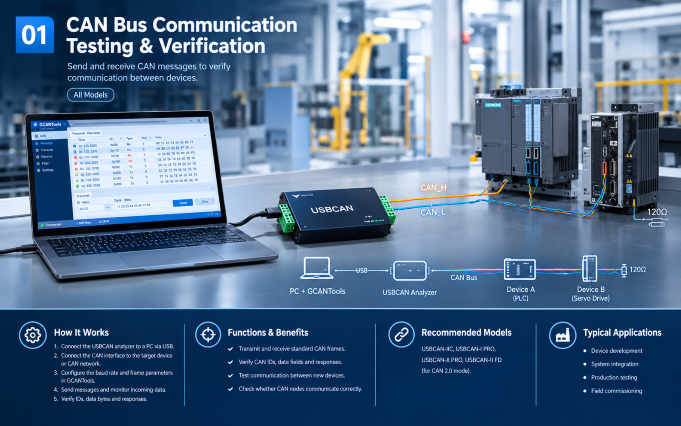
CAN Bus Communication Testing & Verification
1 - Connect the USBCAN analyzer to a PC via USB.
2 - Connect its CAN interface to the target device or CAN network using CAN_H and CAN_L.
3 - Configure the CAN baud rate and frame parameters in GCANTools.
4 - Send CAN messages from the PC and monitor incoming messages from connected devices.
5 - Verify message IDs, data bytes, transmission intervals, and communication responses.
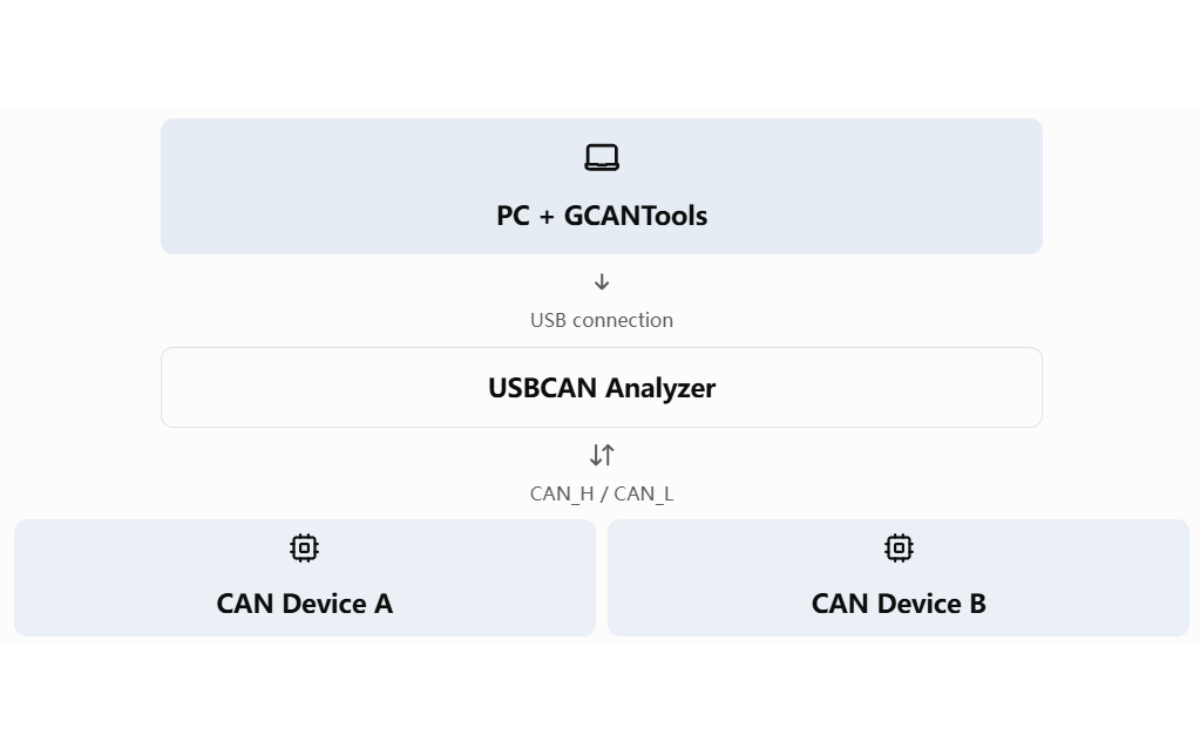
System Connection
Functions & Benefits
- Transmit and receive standard CAN frames.
- Verify CAN IDs, data fields, and communication responses.
- Test communication between newly developed devices.
- Check whether CAN nodes communicate correctly.
Recommended Models
- USBCAN-IIC,
- USBCAN-I PRO
- USBCAN-II PRO
- USBCAN-II FD
Comparison between USBCAN Analyzers
| Model | CAN ports | OS supported | Isolation | Features | Power Supply | Applications |
| USBCAN-I Pro | 1 Channel | Win+Linux | 3000V DC | OBD-II, CANopen | USB 5V | Entry-level single channel, automotive, industrial debugging |
| USBCAN-I Pro+ | 1 Channel | Win+Linux | 3000V DC | OBD-II, CANopen; Hardware upgraded shell | USB 5V | Enhanced single channel, big data collection |
| USBCAN-II C | 2 Channels | Windows Only | 3000V DC | CAN transceive; No OBD-II/CANopen/Stand-alone | USB 5V, DC9-24V | Economical dual channel, general industrial bus sniffing |
| USBCAN-II C+ | 2 Channels | Windows Only | 3000V DC | CAN transceive; No OBD-II/CANopen/Stand-alone | USB 5V, DC9-24V | Upgraded shell dual channel based on II-C |
| USBCAN-II Pro | 2 Channels | Win+Linux | 3000V DC per channel | OBD-II, CANopen, CAN relay, stand-alone mode | USB 5V, DC9-24V | High performance dual channel, multi-bus, offline forwarding |
| USBCAN-II Pro+ | 2 Channels | Win+Linux | CAN,USB 3000V DC | OBD-II, CANopen, CAN relay, stand-alone mode | USB 5V, DC9-24V | Max protection dual channel, harsh industrial sites |
| USBCAN-II FD | 2 Channels | Win+Linux | 2500V DC | CAN-FD protocol, compatible with CAN2.0 | USB 5V, DC9-24V | CAN-FD bus, new energy vehicle debugging |