
CAN Bus Monitoring, Data Logging & Troubleshooting
Application Description
- Monitor real-time communication traffic across an existing CAN network to identify communication abnormalities, investigate faults, and analyze device behavior.
How It Works
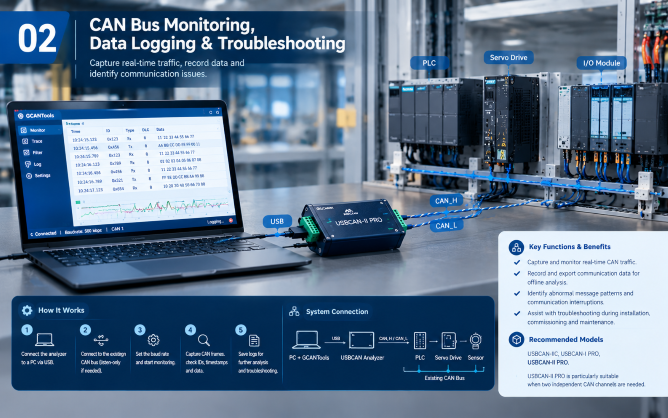
Monitor real-time CAN traffic, record communication data, and troubleshoot industrial CAN networks using a USBCAN analyzer and GCANTools.
1 - Connect the USBCAN analyzer to a PC through USB.
2 - Connect the analyzer to the existing CAN bus in listen-only mode where appropriate.
3 - Configure the communication baud rate and start monitoring.
4 - Use GCANTools to capture CAN frames and inspect message IDs, timestamps, and data.
5 - Save communication logs for further analysis and troubleshooting.
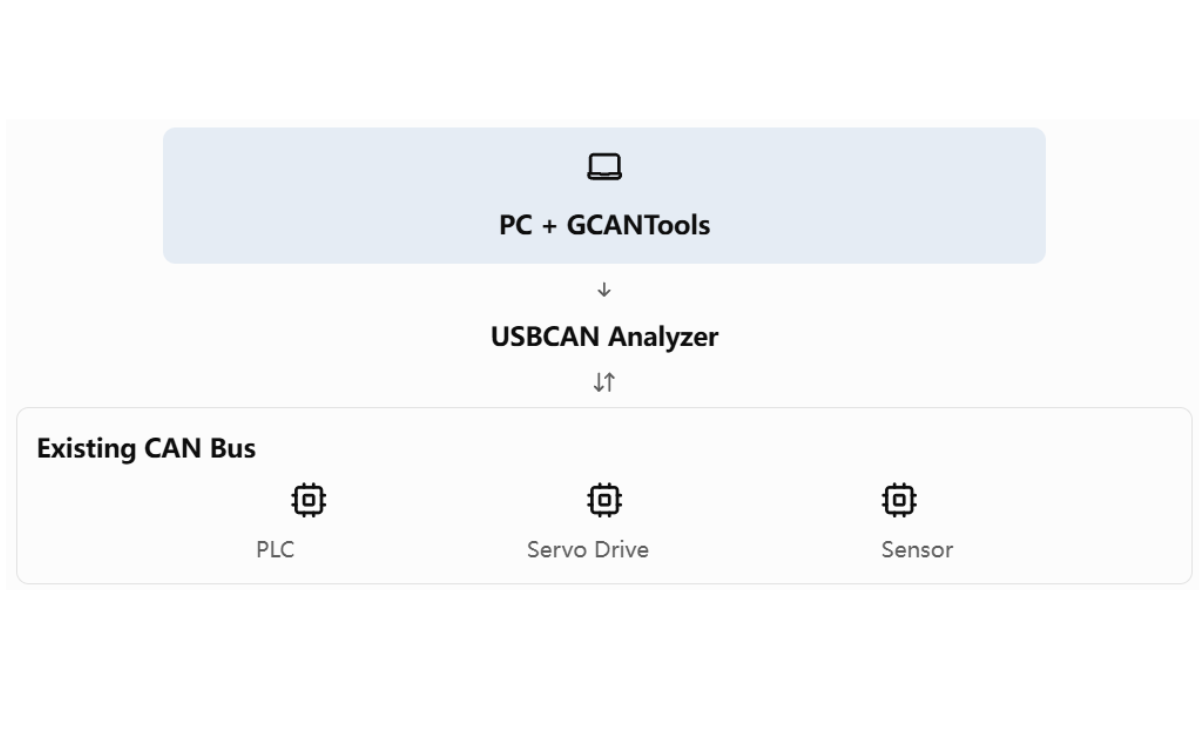
System Connection
Functions & Benefits
- Capture and monitor real-time CAN traffic.
- Record and export communication data for offline analysis.
- Identify abnormal message patterns and communication interruptions.
- Assist with troubleshooting during installation, commissioning, and maintenance.
Recommended Models
USBCAN-IIC, USBCAN-I PRO, USBCAN-II PRO.
USBCAN-II PRO is particularly suitable when two independent CAN channels are needed。
Comparison between USBCAN Analyzers
| Model | CAN ports | OS supported | Isolation | Features | Power Supply | Applications |
| USBCAN-I Pro | 1 Channel | Win+Linux | 3000V DC | OBD-II, CANopen | USB 5V | Entry-level single channel, automotive, industrial debugging |
| USBCAN-I Pro+ | 1 Channel | Win+Linux | 3000V DC | OBD-II, CANopen; Hardware upgraded shell | USB 5V | Enhanced single channel, big data collection |
| USBCAN-II C | 2 Channels | Windows Only | 3000V DC | CAN transceive; No OBD-II/CANopen/Stand-alone | USB 5V, DC9-24V | Economical dual channel, general industrial bus sniffing |
| USBCAN-II C+ | 2 Channels | Windows Only | 3000V DC | CAN transceive; No OBD-II/CANopen/Stand-alone | USB 5V, DC9-24V | Upgraded shell dual channel based on II-C |
| USBCAN-II Pro | 2 Channels | Win+Linux | 3000V DC per channel | OBD-II, CANopen, CAN relay, stand-alone mode | USB 5V, DC9-24V | High performance dual channel, multi-bus, offline forwarding |
| USBCAN-II Pro+ | 2 Channels | Win+Linux | CAN,USB 3000V DC | OBD-II, CANopen, CAN relay, stand-alone mode | USB 5V, DC9-24V | Max protection dual channel, harsh industrial sites |
| USBCAN-II FD | 2 Channels | Win+Linux | 2500V DC | CAN-FD protocol, compatible with CAN2.0 | USB 5V, DC9-24V | CAN-FD bus, new energy vehicle debugging |